
Key Takeaways
- Every connected device on your network is a potential entry point for cybercriminals, including printers, MFPs, and copiers.
- According to Verizon’s 2025 Data Breach Investigations Report, exploitation of vulnerabilities as an attack vector surged 34% in a single year, often targeting unpatched and unmonitored devices.
- SMBs are frequent targets, often because they lack the layered security that larger enterprises have in place.
- A Zero Trust security model treats every device as potentially compromised until verified, significantly reducing your exposure.
- Endpoint security is no longer just an IT problem. It’s a business continuity issue.
- Simple, consistent steps like network segmentation, patch management, and MFP security settings can dramatically reduce your risk.
Picture your office on a typical Tuesday morning. Someone prints a client proposal on the multifunction printer. A technician connects a laptop to run diagnostics. Your server quietly hums in the back room. A new employee plugs a personal phone into the conference room display.
Every single device connected to your network represents a potential entry point. Not just your computers. Not just your servers. We’re talking about your printers, copiers, MFPs, smartphones, smart TVs, and even that IoT thermostat someone installed to save on heating bills.
Understanding your exposure is the foundation of any solid security strategy. And for most SMBs, that picture is a lot more manageable than it first appears.
What is Endpoint Security?
When business owners hear the word “endpoint,” they often picture desktop computers or laptops. But in cybersecurity, an endpoint is any device that connects to your network, and that definition has expanded dramatically over the last decade: desktop and laptop computers, smartphones and tablets, MFPs and copiers, network-attached storage, servers, security cameras, smart building equipment, and VoIP phones.
Each of these is a door into your network. And if that door is unlocked, unpatched, or unmonitored, it doesn’t take long for someone to walk through it.
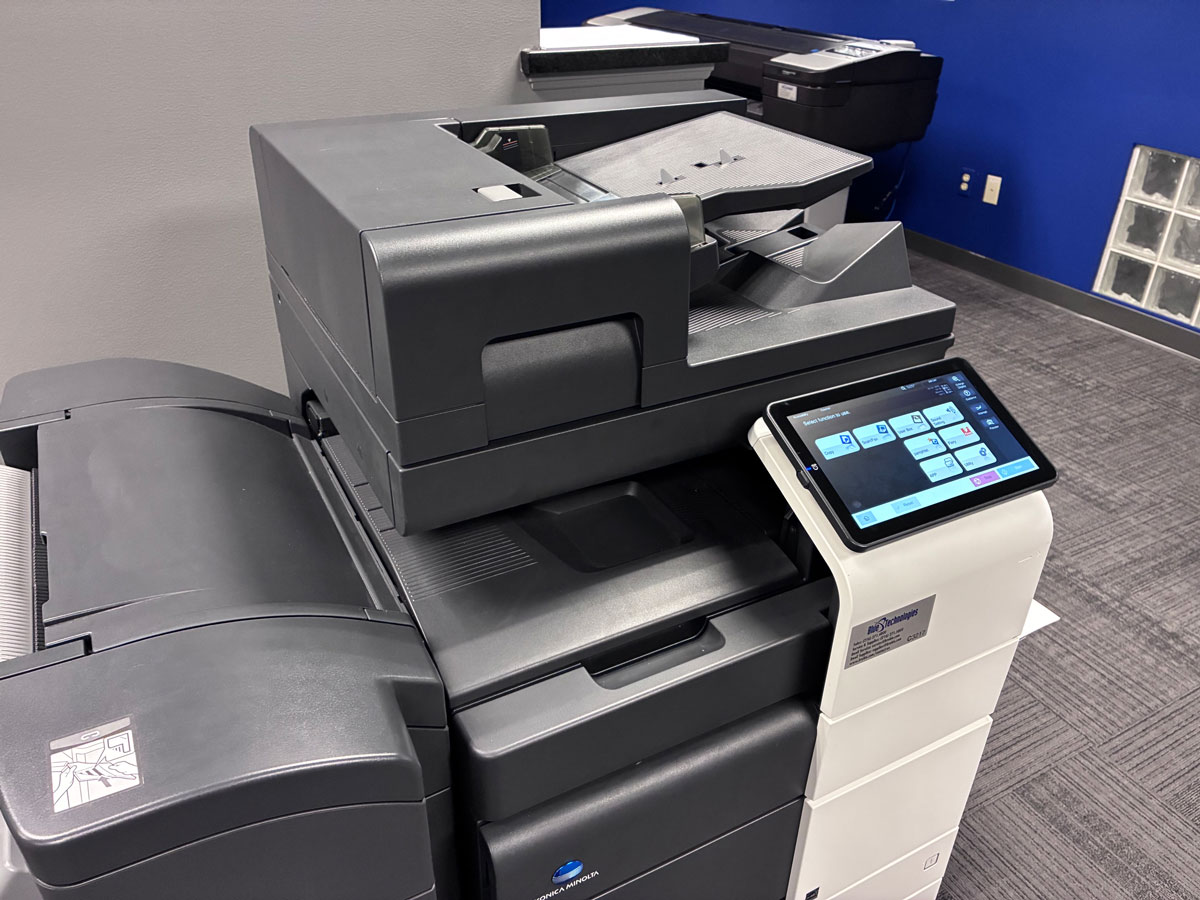
Your MFP Isn’t Just a Printer
Modern MFPs are sophisticated networked computers. They run operating systems, store copies of every document they’ve ever scanned or printed, and connect to your email server, cloud storage, and sometimes directly to the internet. Many have web-based admin portals that, if left with default passwords, are easy to access.
A compromised MFP can serve as a pivot point for attackers to move deeper into your network, expose documents stored in its internal memory, or act as a launching pad for malware distribution. The fix involves changing default credentials, enabling encryption, keeping firmware up to date, and placing your print infrastructure on a segmented part of your network.
Why SMBs Are in the Crosshairs
There’s a persistent myth that cybercriminals primarily target big companies. That’s far from the truth.
SMBs are frequently targeted precisely because attackers know they’re less likely to have enterprise-grade security. A breach of a 50-person accounting firm can yield customer data and financial records just as valuable as those from a Fortune 500 company, and considerably easier to obtain.
Many SMB attacks aren’t targeted at all. They’re automated. Bots continuously scan the internet for open ports, unpatched devices, and default credentials. If your printer or server is visible online with default settings, it may be found and probed within hours.
The good news? Basic security hygiene stops many of these attacks in their tracks.
What Endpoint Security Means in Practice
A sound endpoint security strategy is built on multiple, complementary layers of protection rather than any single solution.
1. Visibility: Know What’s on Your Network
You can’t protect what you don’t know exists. Start with a complete inventory of every device, including shadow IT. In most offices, that list is longer than people expect. The laptop a team member brought from home and the smart speaker someone plugged in for background music are endpoints too.
2. Patch Management: Keep Everything Updated
When a vendor releases a security patch, they’re essentially publishing a roadmap of the vulnerability to everyone. Keeping your operating systems, applications, and device firmware current is one of the highest-impact actions you can take, including your MFP firmware, which is consistently overlooked.
3. Network Segmentation: Limit the Radius
Segmentation means dividing your network into zones so a compromised device can’t freely access everything else. Your guest WIFI should never reach your financial systems. Your printers should sit in their own segment, away from your servers. Think of it like fire doors in a building: the damage stays contained.
4. Endpoint Detection and Response (EDR)
Traditional antivirus software looks for known threats. EDR monitors device behavior in real time, catching suspicious activity even from threats that haven’t been seen before. For SMBs, managed EDR through a trusted IT partner delivers enterprise-level detection without requiring a full-time in-house security team.
5. Identity and Access Management
Enforce MFA, use strong, unique passwords, and follow the principle of least privilege: every user and device should only have the access it absolutely needs. This limits the damage if any single account or device is compromised.
The Zero Trust Mindset: Trust Nothing, Verify Everything
Zero Trust is built on one idea: don’t automatically trust anything inside or outside your network. Every device, user, and connection request should be verified before access is granted.
In practice, Zero Trust for an SMB starts with a simple shift in thinking: nothing gets access just because it’s familiar. Does this device need access to this system? Has this user authenticated with MFA? A printer that’s been in your office for three years could have compromised firmware. An employee’s laptop could have picked up malware at a coffee shop. Zero Trust asks for proof every time.
Ready to Protect Every Device in Your Business?
At Blue Technologies, we help SMBs across Ohio build a smarter, more resilient security posture, from your MFPs and printers to your servers and everything in between. Reach out to our team to start the conversation.
A Practical Checklist
- Inventory every device on your network, including printers, MFPs, and IoT devices
- Change all default passwords, especially on network printers and routers
- Enable MFA on every user account that supports it
- Establish a patching schedule that includes device firmware, not just software
- Segment your network so guest devices, printers, and critical systems are isolated
- Review admin access and remove it where it’s not actively needed
- Ensure decommissioned devices are properly wiped before disposal
- Document an incident response plan so your team knows what to do if something goes wrong
Most organizations have not worked through these questions in a structured way. Going through them once, and checking back in regularly, can surface issues that would otherwise go unnoticed.
How often should we audit the devices on our network?
At a minimum, once per quarter. The most effective approach is continuous monitoring, where an automated system keeps a live inventory and flags anything new or unusual. This is typically part of a managed IT service.
Do we need enterprise-grade tools as a small business?
Not necessarily. Many enterprise-level capabilities are now available in scalable packages built for SMBs. The key is working with a provider who right-sizes the solution to your environment rather than overselling complexity you don’t need.
What happens to data stored on our MFP when we replace it?
Most modern MFPs store document copies on an internal hard drive. Before any device leaves your office, that drive needs to be securely wiped or physically destroyed. Ask your provider about their data destruction process before the device goes out the door.
Is cyber insurance a substitute for good endpoint security?
No. Insurers are increasingly requiring documented security practices as a condition of coverage, including MFA, endpoint monitoring, and patch management. Good security makes you insurable and keeps your premiums lower.
We have a small IT team. How do we manage this without more staff?
This is exactly what managed IT services are designed for. A managed services provider extends your team, handling monitoring, patching, and incident response without requiring additional full-time hires, and for most SMBs it’s a more cost-effective solution than building those capabilities internally.

Considering Managed Cybersecurity Services?
Unlock the insights you need to choose the right cybersecurity partner. Discover how to evaluate providers, compare service capabilities, and the critical questions to ask before you decide.